Operate your Business without an Office


You can run a business without an office, but you cannot simply drop the office and carry on. An office quietly provides five things: an address, a place where mail lands, a phone that someone answers, a room for meetings, and the shared habits that keep people aligned. So going office-free works when you replace each of those deliberately rather than hoping you will not miss them.
Here is what each piece costs, how to cover it, and where businesses usually get caught out.
What the Office Was Actually Doing for You
Rent feels like payment for square footage. In practice, you were buying a bundle of functions, and each one needs an answer once the lease ends.
| What the office gave you | How you replace it | Typical cost |
| A business address | A commercial virtual address at a staffed location | Bundled at $99 per month |
| Somewhere mail lands | Staff who receive mail and sign for courier packages | Bundled |
| A phone that gets answered | A company number with a live receptionist | Bundled |
| A room for meetings | Meeting rooms booked by the hour when you need one | $25 per hour |
| Shared files and systems | Cloud storage, a project tool, and a chat platform | Varies by team size |
| Hallway conversation | Deliberate check-ins and written updates | Time, not money |
1. Give the Business a Real Address
This is the piece people underestimate. Your business still needs an address for state filings, bank applications, invoices, directories, and your website. Most owners default to their home, and then the address becomes public record and stays searchable permanently.
A virtual business address solves that by giving you a commercial street address at a staffed building. Because it is a real street address rather than a post office box, it works where a box fails. Our guide to how a virtual address works and who needs one covers the mechanics.
2. Make Sure Mail and Packages Have Somewhere to Go
Contracts, compliance notices, bank cards, and vendor paperwork all still arrive physically. With staff on site, someone receives your mail and signs for UPS, FedEx, and DHL deliveries instead of leaving a package on a step. You then choose whether each item gets forwarded, scanned, or held.
One step to plan for: USPS requires a completed Form 1583 with two forms of identification before any provider can receive mail for you. Your signature on it also has to be witnessed, either in person at the location or by a notary, and online notarization is an option if you cannot get there. It is a one-time step, but it is worth knowing about before you start rather than mid-signup.
If mail handling is the main thing you need, read how a virtual mailbox works to see which service level fits.
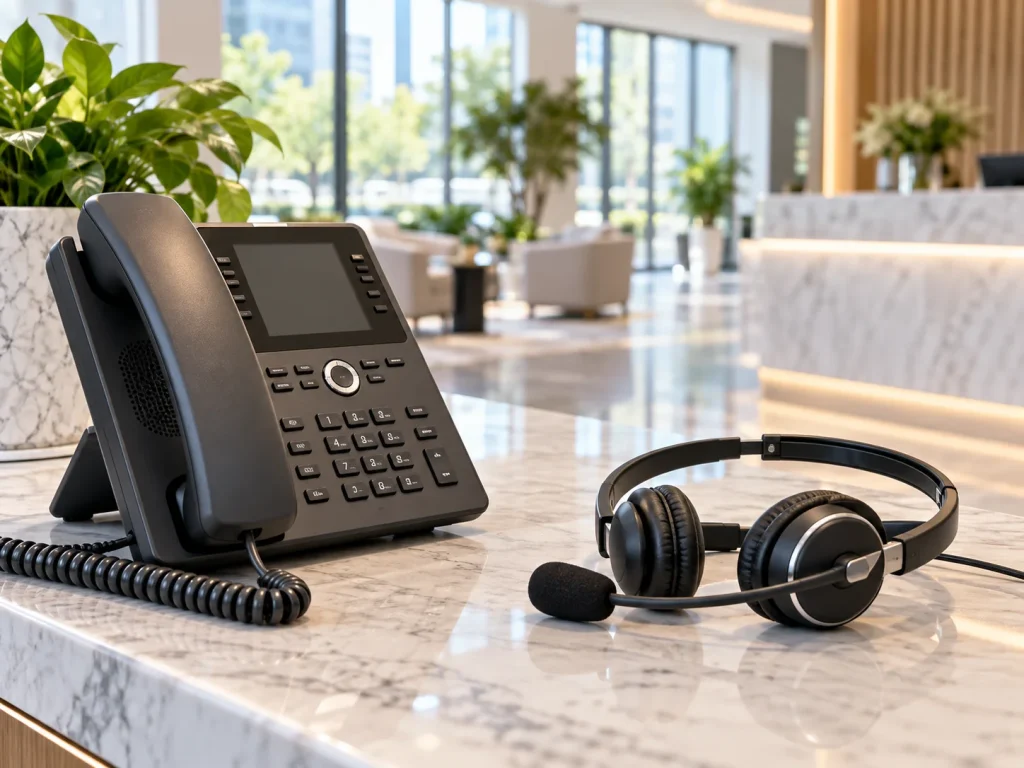
3. Keep a Phone Line Someone Actually Answers
A missed call from a new prospect usually becomes a call to your competitor. Meanwhile, routing business calls to your personal cell blurs your work and home life and sounds exactly as improvised as it is.
A company phone number with a live receptionist fixes both. Someone answers in your business name during business hours, then transfers the call to wherever you are. As a result, your availability stops depending on whether you happen to be free at that moment.
4. Have Somewhere to Meet When It Matters
Most meetings work fine over video. Still, some do not, such as signing documents with a nervous client, interviewing a senior hire, or pitching a buyer who expects to sit across a table. For those, you can book a meeting room by the hour in major U.S. cities for $25, with no deposit and Wi-Fi, video conferencing, and guest parking included. Therefore, you pay for a professional room on the handful of days you need one instead of carrying one all year.
5. Build the Software Layer
Technology replaces the parts of an office that were about working together rather than being somewhere. Most teams need four things: cloud file storage, a project or task tool, a chat platform, and video conferencing. Beyond that, add tools only when a specific problem calls for one, since tool sprawl creates its own drag.
Keeping a Distributed Team Aligned
The infrastructure is the easy half. Teams that struggle without an office usually struggle with habits rather than software.
- Decide which channel carries which kind of message, so nobody hunts for a decision across three apps.
- Write things down. When conversations are not overheard, documentation becomes how people stay informed.
- Set expectations about hours and response times, because without them people either overwork or go quiet.
- Build in deliberate contact, whether a standing check-in or an occasional day together, since relationships do not form by accident remotely.
- Invest in development and career growth, which is the thing most likely to slip when you cannot see people every day.
What You Give Up
An honest guide should say this part too. Without an office, spontaneous collaboration becomes rarer, onboarding takes more effort, and newer employees lose the learning that comes from overhearing experienced colleagues. Some businesses also genuinely need space, whether for equipment, inventory, secure work, or client visits.
So the question is not whether office-free is better in general. It is whether the things your office provided can be replaced more cheaply another way, and for a large share of service businesses, they can.

The Office Was Never the Business
Plenty of companies run well without one, though not by accident. They replace the address, the mail, the phone, and the meeting space deliberately, then put real effort into how people work together. Handle those pieces and the lease turns out to be the part you never needed.
Opus Virtual Offices covers the first four across more than 650 locations nationwide. Explore locations and get set up today.
Running Without an Office FAQs
Can I register my business without an office?
In most states, yes, as long as you provide a physical street address rather than a post office box. A commercial virtual address generally meets that standard, though requirements vary, so confirm your state rules before filing.
Should I just use my home address?
You can, but it becomes part of the public record once you file, and anyone can find it afterward. Because of that, most owners who work from home eventually separate the two.
How do clients reach me without an office?
Through a company phone number answered by a live receptionist, your business email, and a meeting room when a conversation calls for one. Clients rarely need the office itself, though they do need to reach a person.
What does the whole setup cost?
Opus bundles the address, mail and package handling, a live receptionist, a company phone and fax number, and voicemail to email at $99 per month with no long-term contract. Meeting rooms book separately by the hour. You can review everything included in an Opus virtual office plan.
How do I choose a provider?
Compare total monthly cost for the services you will actually use rather than advertised starting rates. Our guide to choosing the right virtual office provider lists the questions worth asking.
Get Your Office Solution Today!
Join over 20,000+ businesses already growing with Opus VO.
Related Posts
View all posts
Does Your Trucking Company Need a Business Office?
If you run your own authority, there is a business operating behind your truck whether you set one up or not. Invoices, insurance certificates, registrations, driver records, broker packets, and regulatory mail keep arriving while the truck is moving. A business office gives that side of the operation somewhere to live: a professional location, mail

Does Your Trucking Company Need a Business Office?
If you run your own authority, there is a business operating behind your truck whether you set one up or not. Invoices, insurance certificates, registrations, driver records, broker packets, and regulatory mail keep arriving while the truck is moving. A business office gives that side of the operation somewhere to live: a professional location, mail

How to Register an LLC with a Virtual Office in Miami: Step-by-Step
You can register a Florida LLC using a Miami virtual office address, and most founders who work remotely do. The detail that trips people up is that Florida asks for three different addresses on the Articles of Organization, and they follow different rules. A virtual address covers two of them outright. The third, your registered

How to Register an LLC with a Virtual Office in Miami: Step-by-Step
You can register a Florida LLC using a Miami virtual office address, and most founders who work remotely do. The detail that trips people up is that Florida asks for three different addresses on the Articles of Organization, and they follow different rules. A virtual address covers two of them outright. The third, your registered

What Technology Do Virtual Offices Use for Communication?
A virtual office covers three communication problems: a phone line somebody answers, a staffed address where mail and packages land, and a professional room when a conversation needs one. The technology behind it is call routing, digital delivery of voicemail and faxes to your email, and an online account where you manage the whole thing.
What Technology Do Virtual Offices Use for Communication?
A virtual office covers three communication problems: a phone line somebody answers, a staffed address where mail and packages land, and a professional room when a conversation needs one. The technology behind it is call routing, digital delivery of voicemail and faxes to your email, and an online account where you manage the whole thing.
Most Popular Cities
Over 650 Locations Across the USA
All-Inclusive Virtual Office Services for Only $99